Semantic Video Search: Find Clips by Mood, Not Filename
Semantic video search finds clips by what they show, not by what they are named. Here is what it means, why it beats folder scrubbing, and how creators can use it today.
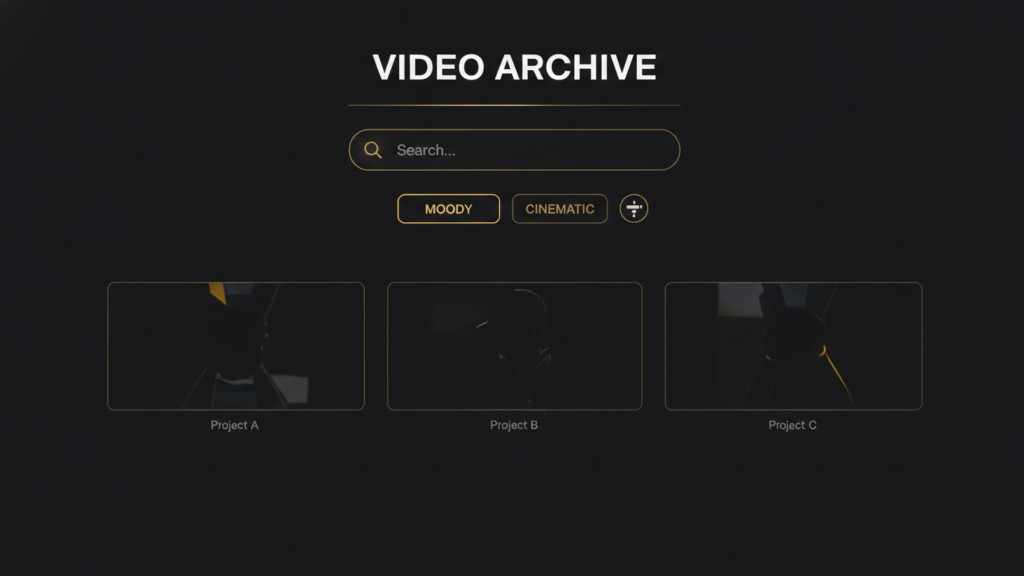
Type this into the folder where your video clips live. Her hands were shaking as she typed. Nothing comes up. Your filenames are IMG_4523 and C0012 and MVI_0088. Your operating system searches by name.
But somewhere in your library is the clip of exactly that. Filmed one afternoon three months ago. You know it exists. The problem was never that the clip was missing. The problem is that filename search cannot see inside a video.
This is what semantic video search fixes. And for creators sitting on hundreds of clips they cannot find, it is the difference between shooting new footage every week and finally posting what you already have.
What semantic video search actually means
Semantic video search is a way of finding video clips by their meaning, not by their metadata. You describe what you want in plain language. The system returns clips whose actual content matches your description.
The word semantic just means related to meaning. In this context, it is the difference between a search that reads your filename and a search that reads your footage. One matches text to text. The other matches meaning to meaning.
If you have used Google Photos in the last few years, you have already used a version of this. Type kitchen into the search bar and photos of your kitchen appear, even for photos you never labeled. Type sunset and sunsets appear from vacations you took years ago. That is semantic image search running on your library. The video version does the same thing, but for footage, which is much harder because there is far more happening per clip.
Why creators need it now, not just enterprises
Most of what has been written about semantic video search assumes you work at a media company with thousands of hours of archived footage. That has been the main use case for years. News teams searching decades of broadcast tape. Legal teams pulling clips from surveillance libraries. Documentary editors combing through hundreds of hours of interviews.
The technology solved a real problem for those teams. But creators were never the audience.
Now the same problem exists at creator scale. A creator who posts weekly for a year usually ends up with somewhere between five hundred and a thousand individual clips on their phone. That is not a media archive. But it is more than any manual folder system can keep organized in a way you can actually search when you need a specific clip.
The tools that solved this for enterprises are only now being built for creators. Which means the workflow that used to require a media asset management team is starting to fit into a phone.
How it works, in three sentences
Every clip in your library gets scanned once and translated into a numerical fingerprint that represents what is actually happening in the video. Your search query gets translated into the same kind of fingerprint. The system finds the clips whose fingerprints sit closest to the fingerprint of your query, and returns them ranked by how well they match.
That is the entire mechanism. The technical term for the fingerprint is an embedding, but you do not need to know that to use it. What matters is that both the clips and the searches end up as the same kind of thing, which is why they can be compared to each other even when they share no words.
This is the reason the search can find a clip of a sunset when you type the moment before the day ended. There is no filename match. There is no transcript match. There is a meaning match, because the fingerprint of the clip and the fingerprint of your description sit near each other in the same space.
Filenames search by what you called something. Semantic video search finds what you actually saw.
What semantic video search finds that filename search misses
Here is where the difference gets concrete. Same library. Same search intent. Different tools looking at it.
Say you have a hundred clips from the last six months. You are writing a reel about the small moments that make a morning feel good. You need a specific clip. Something quiet, kitchen light, maybe hands doing something ordinary.
With filename search, you type kitchen into your file browser. Two clips show up because you named them kitchen_1 and kitchen_2 back when you filmed them. Neither is the clip you were thinking of. The clip you actually want is called IMG_5834 because your camera named it that and you never renamed it.
With semantic search, you type quiet kitchen morning. The system reads your library and returns eight clips ranked by how well they match. Three of them are the ones with kitchen in the name. Five of them are unnamed clips your camera saved by default, including the one from that Tuesday in March that you completely forgot you filmed.
This is not a marginal improvement. It is a different kind of search entirely. And it changes what your library is actually worth.
The three search modes compared
Same library, three different ways to search for a clip. Filename search: matches your query against clip names, misses everything you did not manually label. Transcript search: matches your query against words spoken in the clip, misses everything filmed silently (which is most B roll). Meaning-based search: matches your query against what the clip actually shows, works regardless of filenames or audio. If you have ever spent an hour scrolling for a clip you know exists, this is why.
How Beerolls uses semantic video search
Beerolls indexes your library once when you upload your footage. Every clip gets a fingerprint. From that point on, any script line you write becomes a search across the whole library.
You do not run the searches manually. That is the part most creators do not realize until they try it. In a traditional workflow, you write your script and then scroll through your folder to find matches for each line. With Beerolls, you write the script and each line is automatically matched to the closest clip in your library. The searching is invisible. What you see is a reel that already has clips paired to each line, ready for you to swap anything that does not feel right.
This is why semantic matching matters more for creators than for enterprise teams. Enterprise teams run one search at a time and pick from the results. Creators need the searches to happen in the background so the workflow does not break every twenty seconds.
Common searches that just work
A few examples of the kinds of queries that surface real clips, based on how creators actually think when they are looking for footage.
Morning light in the kitchen returns quiet indoor clips with soft natural light, regardless of whether kitchen appears in the filename.
Hands doing something returns close ups of hands typing, cooking, holding, writing, from across your entire library.
The moment before sunset returns golden hour clips even if you never labeled them by time of day.
Someone laughing off camera returns candid reaction footage from group shoots, even from clips where no one is on screen.
Quiet street at night returns urban ambient clips, including the ones you filmed for no specific reason while walking home.
Notice what these queries have in common. None of them match what a filename would say. All of them match the way you actually remember footage. Mood, subject, moment, feeling.
Limitations to know
Being honest about what the technology does not do is important because tools that overpromise this get a bad name for good reason.
First, it depends on what is actually in the clip. If you filmed something obscure and search for something the clip does not really show, the results will be weak. The search is based on what the AI can see, which is broad but not infinite.
Second, it cannot search for things that were not filmed. If you never shot a specific angle, no amount of semantic search will conjure it. This sounds obvious but is worth naming, because it means the value of the search grows with the depth of your library. A hundred clips is enough to feel the difference. Five hundred clips is where it becomes a different way of working.
Third, ranking is not perfect. The best match is usually in the top five results, but not always in the top one. You still make the final call on which clip belongs where. Which is the right split of work anyway. The AI does the search. You do the judgment.
Start with the library you already have
If you have been filming for months and posting less than you want to, semantic video search is probably the single tool that changes the math for you. Not because it makes your footage better. Because it makes your footage findable.
Beerolls uses this as the core of its footage matching step. You upload your clips once. You write scripts. Your library becomes searchable the way your brain remembers it, not the way your filesystem sorts it.
Upload a few of your unlabeled clips into Beerolls and try searching for something you would never think to name. Watch what surfaces.
Marketing at Beerolls. Writes about creator workflows and how to spend less time hunting for footage.